
I’ve been doing SEO for over 25 years. I was optimizing pages before Google was the default search engine. I’ve watched this industry reinvent itself half a dozen times and what’s happening right now with Generative Engine Optimization (GEO) is one of the most significant shifts I’ve ever seen. My clients include plumbers in Omaha, roofers across the Midwest, electricians trying to get their phones ringing; they’re all noticing the same thing. Traffic patterns are changing. ChatGPT referral traffic is showing up in GA4. And they want answers.
The agencies that can deliver those answers are going to keep those clients. The ones that can’t are going to lose them to someone who can. So this guide is everything I’ve learned about GEO tracking and reporting LLM visibility results, written specifically for agencies managing small business and local business clients who need this figured out yesterday.
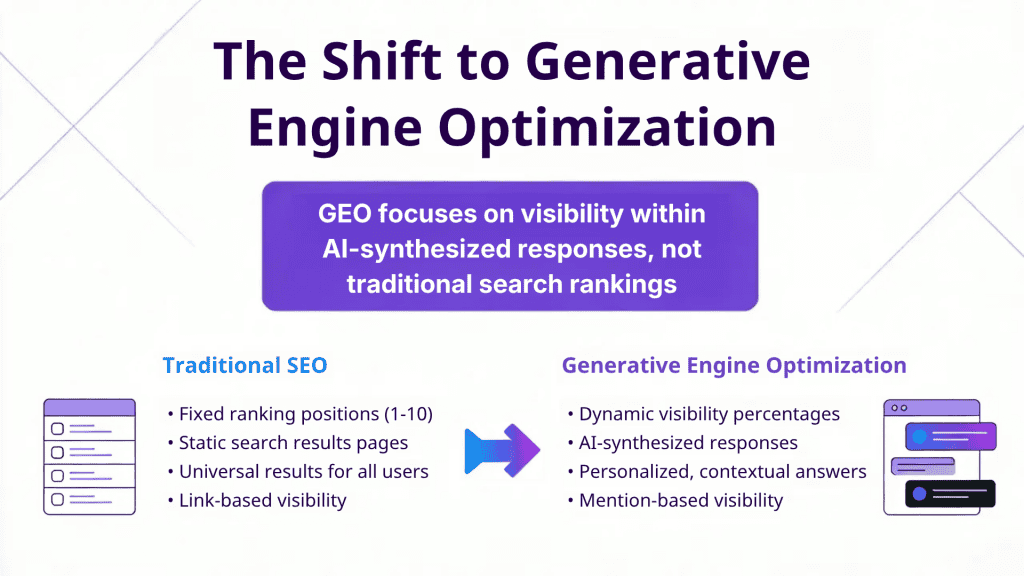
For anyone just getting up to speed on the terminology: GEO (Generative Engine Optimization) and AEO (Answer Engine Optimization) refer to the same core discipline of optimizing your brand’s visibility inside AI-generated responses from models like ChatGPT, Gemini, and Perplexity. You’ll hear both terms used in the industry. I use GEO because it’s more precise about what we’re actually optimizing for: generative AI engines that synthesize answers, not just serve links.
Table of Contents
Start With the Reports That Matter to Your Results
Before we get into tools and tracking methods, I want to flip the usual order here. Most GEO guides start with “what to measure” and end with “how to report it.” I think that’s backwards. If you don’t know what report you’re building toward, you end up collecting a bunch of data that doesn’t tell a story.
So let me walk you through the report types that actually work when you’re sitting across the table from a small business owner who just wants to know if this AI stuff is helping or hurting them.
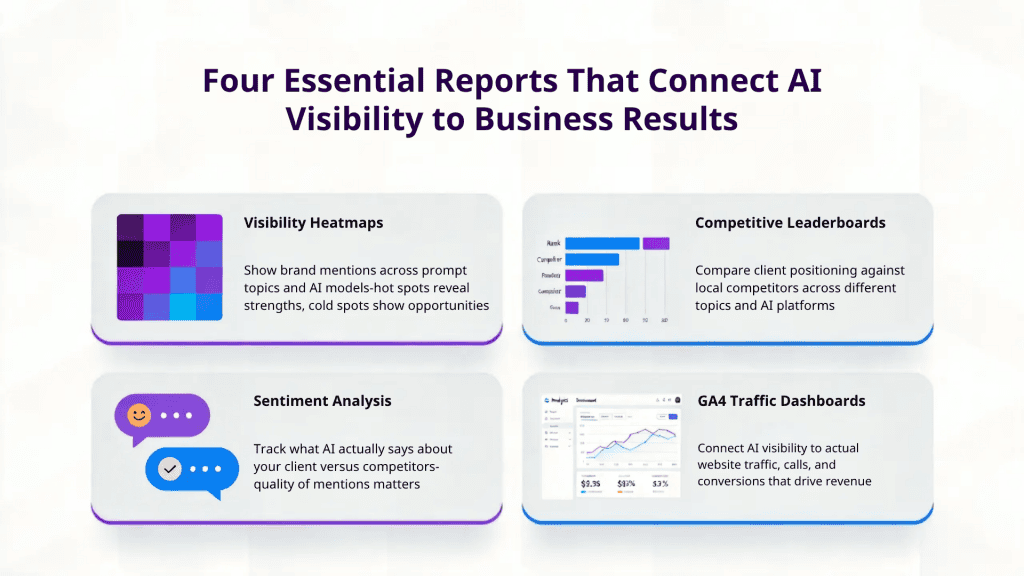
Heatmap (Matrix) Reports
This is where I start with almost every client now. A heatmap shows your client’s generative search visibility across different prompt topics and different AI models in one view. Hot spots mean the brand is getting mentioned consistently. Cold spots mean there’s a gap and gaps are opportunities. When my roofing client asks “where should we focus next?” I just point at the cold spots. It makes the GEO strategy conversation dead simple.
Leaderboard Reports
These are your competitive positioning reports. For any given topic, how does your client stack up against the other companies in their market? Share of voice, per topic, per LLM. When a plumbing company wants to know how they compare to the three other shops in town that are running ads, this is the slide that answers the question. Concrete numbers. No guesswork.
Sentiment Comparisons Against Competitors
This one goes a level deeper than just “are we being mentioned?” It answers the question: “What is ChatGPT actually saying about us compared to our competitors?” If the AI is mentioning your client but positioning them unfavorably, maybe saying the competitor has better reviews or faster response times that might be the critical intelligence needed for your GEO strategy. It tells you exactly what to fix in the client’s online presence and content.
AI/LLM Traffic Dashboards via GA4 Integration
This is the bridge that connects everything upstream (visibility in generative AI models) to the numbers your clients actually care about which generate the phone calls, form fills, and booked jobs. Through a GA4 integration, you can show clients not just that they’re showing up in AI answers, but that those appearances are actually sending traffic that converts. For local service businesses, this is the report that turns GEO from a buzzword into a revenue conversation.
These four reports together tell the whole story: where you stand, how you compare, what AI is saying about you, and what it all means for the bottom line. That’s a GEO reporting package a small business owner can actually act on.
Why Visibility Percentage Beats “Ranking” for LLM Search Tracking
Here’s the mental shift agencies need to make when transitioning from traditional SEO reporting to GEO reporting, and it’s one that took me a minute to fully get my head around.
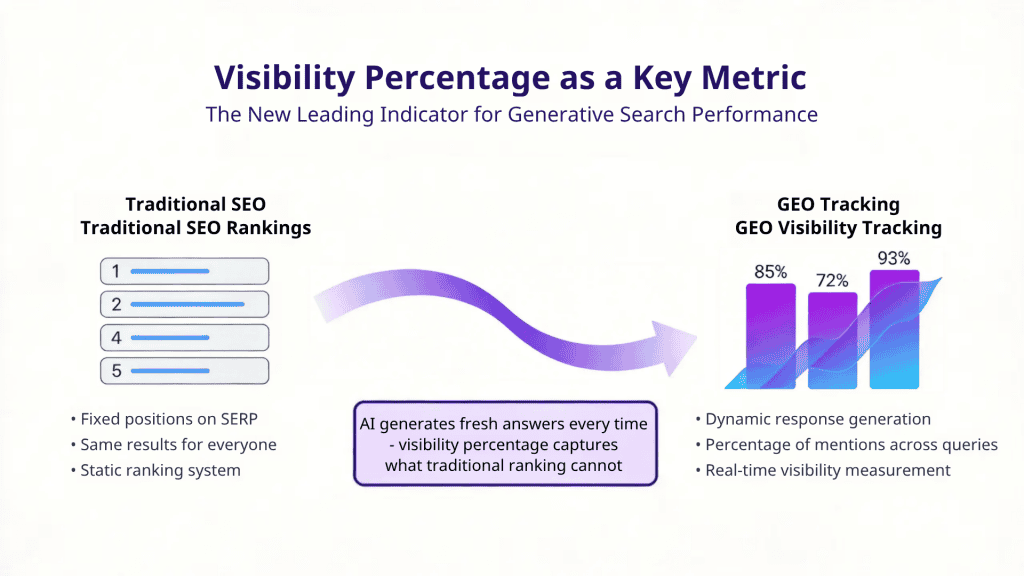
I was talking with Connor Kimball over at Cairrot recently, and he laid out this concept of “search impression share” in a way that really clicked for me. In traditional SEO, we’ve always tracked rank; position 1, position 3, position 7. That made sense when there were 10 blue links on a page and everybody saw the same results.
Generative search doesn’t work that way. There’s no fixed SERP. When someone asks ChatGPT “who’s the best plumber near me,” the model generates a fresh answer every single time. Your client might get mentioned in 8 out of 10 responses on Monday and 2 out of 10 on Wednesday. There is no “rank #3” in that world.
Visibility percentage captures what’s actually happening in generative engines. It tells you what share of AI-generated responses include your client’s brand for a specific topic. That’s the metric agencies need to build their GEO reports around. Cairrot makes it easy to see why this is the right approach, and once you see the data laid out as visibility percentages across models, you realize that a single “rank” number for generative AI was never going to tell you anything useful.
Now, the revenue KPIs your clients care about don’t change. They still want more phone calls, more booked appointments, more revenue. What changes are the leading indicators you use to predict those outcomes. Visibility percentage across LLMs is the new leading indicator for GEO. Traditional SERP rank is becoming a lagging one.
Which LLMs Should Agencies Track for GEO?
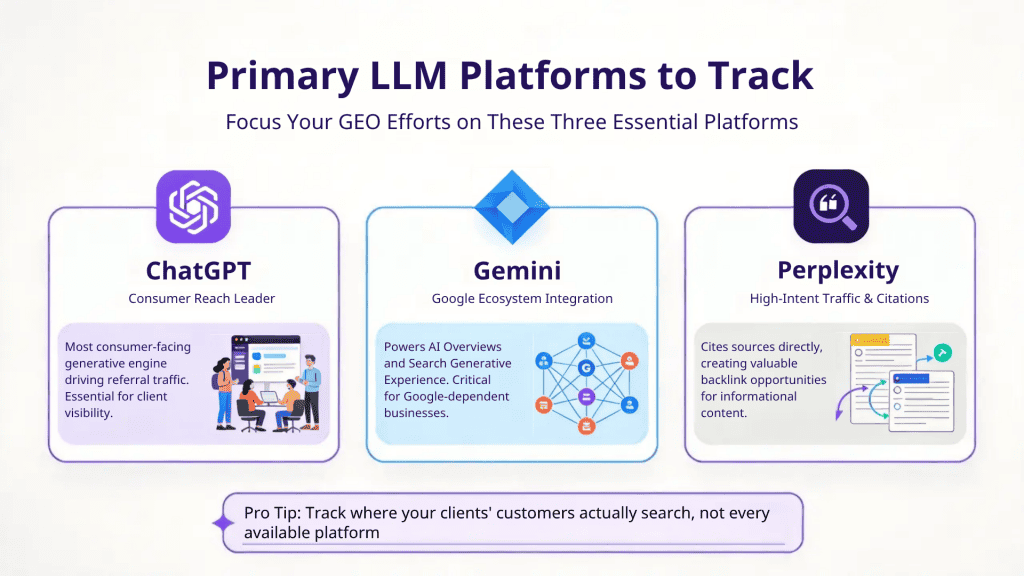
One of the biggest mistakes I see agencies making with their GEO strategy is treating AI search like it’s one thing. It’s not. Each generative engine pulls from different data, has different biases, and behaves differently. Your client could be dominant on Perplexity but a ghost on Gemini. If you’re only giving them a blended number, you’re hiding more than you’re showing.
For the majority of small business and local business clients, here’s what you need to track:
- ChatGPT: This is the big one. It’s the most consumer-facing generative engine, it drives the most referral traffic, and it’s the one your clients are asking about by name. If you’re only going to track one model for GEO, make it this one. But you shouldn’t be tracking just one.
- Gemini: Google’s generative AI model is getting woven deeper and deeper into the Google ecosystem. AI Overviews, which are the Search Generative Experience all run on Gemini. For any client whose business depends on Google traffic (which is every local business), Gemini visibility is becoming non-negotiable for your GEO strategy.
- Perplexity: This one is gaining real traction as a standalone search replacement. What makes it different is that Perplexity cites its sources. That means when your client shows up in a Perplexity answer, there’s often a direct link back to their website. For local service businesses running informational and commercial-intent content, Perplexity is a goldmine for generative search traffic.
- Claude: For most small businesses and local shops, Claude isn’t going to be your top priority. But if you’re working with clients who serve a more research heavy customer base, like specialized contractors, medical practices, legal professionals Claude is worth including. People doing serious homework before making high-dollar decisions are increasingly using Claude, and your clients need to be visible where those decisions are being made.
- Grok: is one to keep on your radar, especially if your clients have customers who are active on X (formerly Twitter). Grok is built into the X platform and pulls heavily from real-time social data and conversations. For local businesses with strong social media presences like restaurants, event venues, fitness studios, or any service company that generates buzz on social can use Grok’s visibility to surface their brand in ways the other models don’t. It’s not a must-track for every client yet, but if your client’s customer base skews younger or is heavily engaged on social platforms, Grok is worth adding to the mix. It’s also evolving quickly, and agencies that start monitoring it now will have baseline data to show trends when it inevitably becomes a bigger player.
It’s essential to know who your client’s customers are, figure out which generative engines those customers use, and track accordingly. Don’t burn budget tracking LLM analytics for models that don’t matter for a particular client.
Current Free Methods for GEO Tracking Without Scaling
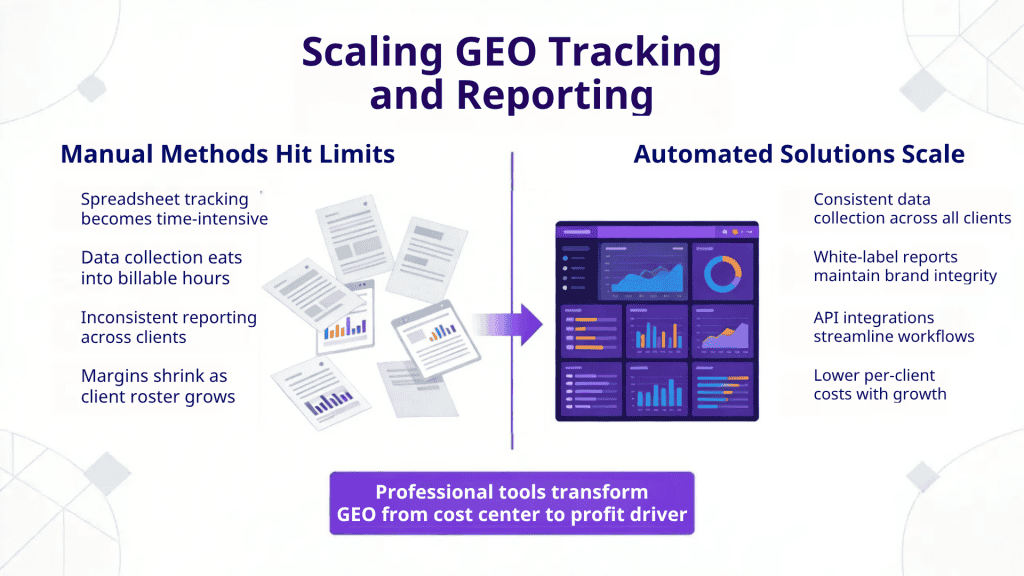
I’m not going to pretend there aren’t free ways to track generative engine visibility. I’ve used them all. If you’re a one- or two-person shop with a handful of clients, you can get started without spending a dime on tools. Here’s what’s out there:
- Manual spreadsheets: Open up ChatGPT, Perplexity, Gemini. Type in a set of prompts related to your client’s services. Check if they got mentioned. Log it in a spreadsheet. Do that every month. I’ve done this. It works. But it chews up hours, and the data is already stale by the time you’ve finished formatting everything.
- Looker Studio dashboards: Pull GA4 data into Looker Studio and build a dashboard that tracks LLM referral traffic. You get the traffic and conversion side of the GEO picture, but you’re blind on the upstream visibility side and you can’t see how often the client is showing up in AI answers, only when someone clicked through.
- Custom channel groupings in GA4: You can set up explorations and custom channels to isolate traffic from chatgpt.com, perplexity.ai, and other AI sources. Useful for tracking actual traffic from generative engines, but again, it doesn’t measure visibility itself.
- DIY scripts using LLM APIs: If you’ve got a developer on staff, you can build a system that programmatically runs prompts through LLM APIs, parses responses for brand mentions, and logs results over time. I know agencies doing this. It works until the API changes and the whole thing breaks. Then your developer spends a week fixing it instead of doing billable work.
All of these approaches work fine when you’ve got a small client roster. But the moment you’re managing 5, 10, 20 local business clients, the manual GEO tracking grind eats your margins alive. You need a tool that does this consistently, at scale, without your team spending half their week copying data into spreadsheets.
Picking the Right GEO Tracking Tool for Your Agency
The market for GEO and LLM visibility tracking tools has come a long way in the past year. There are now real options. I’ve personally tested more than a dozen of them — I’ve published reviews of Gumshoe AI, Scrunch AI, and several others on the Omaha SEO blog.
At a high level, you’ve got platforms like Semrush’s AI Toolkit (expensive if you’re already paying for Semrush, even more so if you’re not), Gumshoe AI (great for one-off audits and project-based GEO reports with its pay-as-you-go model), Profound (solid for e-commerce clients), and some enterprise-focused options that are overkill for most local business agencies.
After putting them all through the wringer, the tool I use daily for my agency clients and the one I tell other agencies to look at first is Cairrot.
Let me break down the specific reasons, because they matter a lot when you’re running an agency focused on local and small business GEO.
Why I Find Cairrot the Best for GEO Reporting
I’ve been in the trenches of digital marketing long enough to know that a tool is only as good as the problems it solves in your day-to-day operations. Here’s what keeps me on Cairrot for all my GEO tracking and reporting:
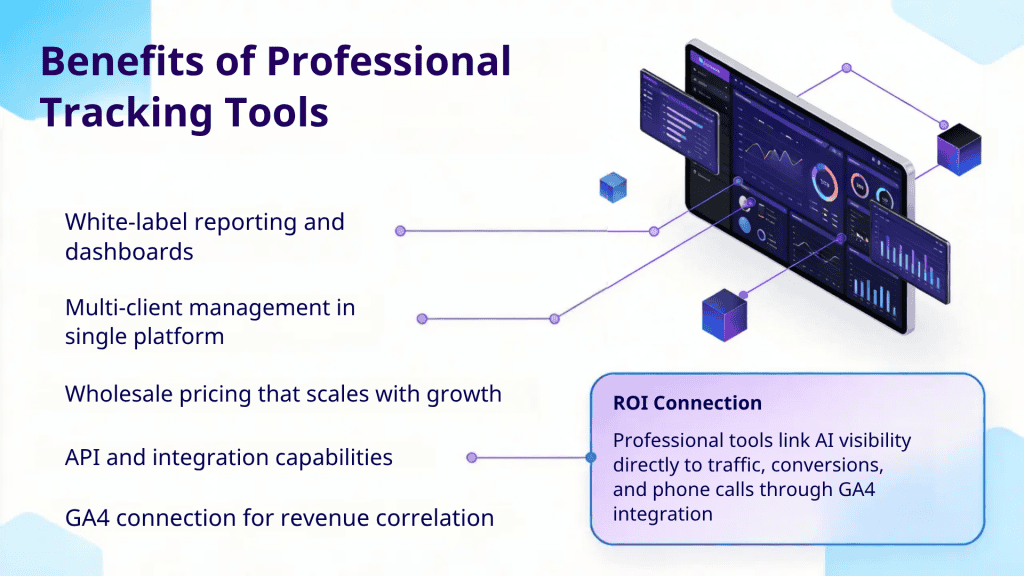
White-label reports and dashboards: When I send a GEO report to a roofing company or a plumbing shop, it needs to have my branding on it. Period. If my client sees another company’s logo on the report I’m delivering, that’s a credibility hit I can’t afford. Cairrot’s white-label setup lets me deliver polished, Omaha SEO-branded reports that look completely custom.
Multi-client dashboard: One login, all my clients. I can flip between accounts without logging in and out of separate instances. When you’re managing a dozen local businesses and their GEO visibility, that kind of workflow efficiency adds up fast. It sounds minor until you’ve spent your morning toggling between six different tool logins.
Wholesale pricing that scales with you: This is the one that really won me over. Most GEO tools charge per client in a way that crushes your margins the more clients you add. Cairrot’s wholesale pricing model means my per-client cost actually goes down as I grow my roster. That’s the difference between a tool that supports agency growth and one that punishes it.
API and MCP integrations: I’ve got clients who want their generative search data pulled into their own systems, and I’ve got internal workflows where I need GEO data flowing into other dashboards. Cairrot’s API handles that cleanly. The MCP (Model Context Protocol) integration is newer, but it’s pointing toward a future where agencies can automate a lot of the GEO reporting grind. I’m paying attention to that.
Custom reporting dashboards: A roofing company and an electrician don’t need the same GEO report. Cairrot lets me customize what each client sees, which metrics are up front, which visualizations to include, and how the data is organized. That flexibility is essential when your client roster spans half a dozen different home service verticals.
GA4 and Google Search Console integration: This is the one that ties everything together. Generative engine visibility data on its own is interesting. That same data cross-referenced with actual traffic, conversions, and phone calls from GA4? That’s actionable. This integration is what turns GEO reporting from “here’s an interesting chart” into “here’s proof this is making your phone ring.”
The GEO Reporting Cadence That Works for Local Business Clients
After working through this with my own roster of clients, here’s the GEO reporting schedule that makes sense for agencies serving small and local businesses:
Monthly: Automated visibility snapshot: Keep it tight. Heatmap overview, top-level GEO metrics, a short narrative about what moved and why. This keeps your client in the loop without eating 3 hours of your team’s time. Cairrot lets you template and automate most of this.
Quarterly: Full strategic deep-dive: This is where you pull out the leaderboard reports, sentiment comparisons, GA4 traffic correlation, and your GEO recommendations for the next 90 days. It’s the “here’s what’s working, here’s what’s not, here’s what we’re doing about it” meeting.
Why this cadence works: The generative AI responses that matter most for local businesses, the ones tied to high-intent, “I need a plumber right now” type queries that don’t swing as wildly day to day as broad informational queries do. Monthly is frequent enough to catch real movement. Quarterly is where you adjust your GEO strategy and show ROI.
One trap to watch for: Don’t over report on top-of-funnel informational queries. Those fluctuate constantly in generative engines. Reporting on every small swing creates noise that distracts from what matters. Keep your GEO reporting focused on the prompts and topics closest to revenue generating actions, the commercial and transactional intent queries that actually put money in your client’s pocket.
Get Ahead of the GEO Shift Before Your Competitors Do
I’ve watched the SEO industry go through a lot of transitions in 25 years. Every time, the agencies that moved first set the standard. The ones that waited played catch-up and a lot of them didn’t survive the transition.
GEO reporting is that kind of moment. The agencies building Generative Engine Optimization into their service stack right now are going to own the client conversation for the next several years. The shift is straightforward: from rankings to visibility percentage, from keywords to prompt topics, from Google-only reporting to multi-LLM analytics. The business outcomes your clients care about haven’t changed, they still want more calls, more jobs, more revenue. The measurement layer has.
If you’re looking for the right GEO tracking tool for your agency, I’d start with Cairrot. It’s what I use, it’s what I recommend, and it’s built for the way agencies actually operate. If you want help figuring out how to add GEO tracking and reporting to your agency’s services, reach out to us at Omaha SEO. We’ve been helping agencies and local businesses navigate generative search, and we’re happy to show you what’s working.


 Follow Our RSS Feed
CONNECT WITH US!!